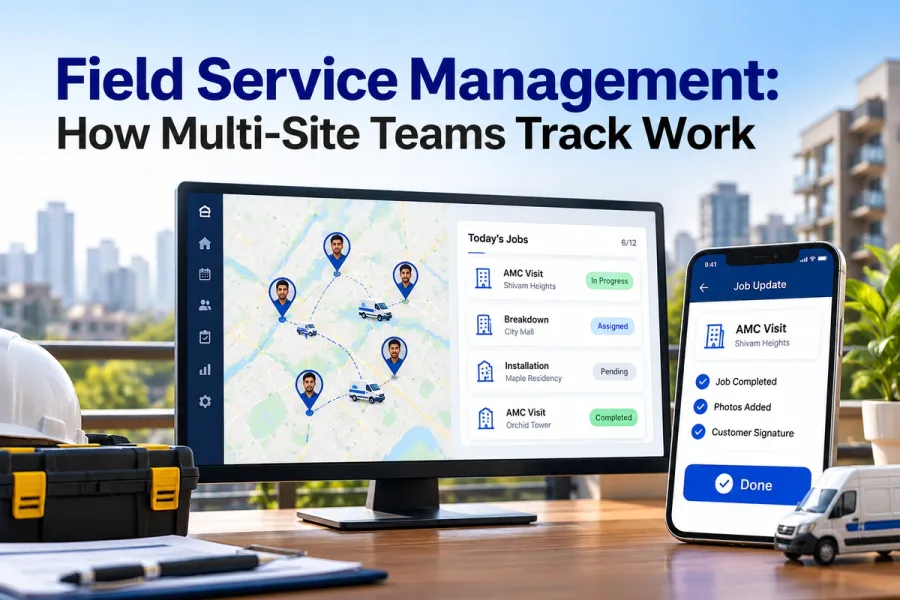
Track Field Technicians Without Long Forms: How
Quick Answer
You track field technicians by making the record a by-product of doing the job, not a form filled after it. One tap confirms arrival, the checklist is the work itself, a photo replaces a paragraph, parts are picked from a list, and the customer's signature closes the job. The manager gets accurate data because the technician never had to stop working to produce it. By Mr. Sumeet Katariya, Accucia Softwares Pvt. Ltd.
Why long forms fail in the field
There is a moment every field manager recognises. It is around 6 PM, the technician is home, and the day's five jobs are being typed into the system from memory and a few paper slips. Times are rounded. Parts are guessed. The photo that would have settled next month's billing dispute was never taken, because the phone was in a pocket and the hands were busy.
Nothing about this is laziness. The form was designed by someone who sits at a desk, for someone who does not. It asks for twenty fields when the job needed four, and it asks for them after the fact, when the only honest answer to half of them is "roughly".
If the form takes longer than the job, the technician stops filling it. Once that happens, the dashboard shows what people remembered, not what occurred, and every report built on it inherits the gap.
Make the record a by-product of the work
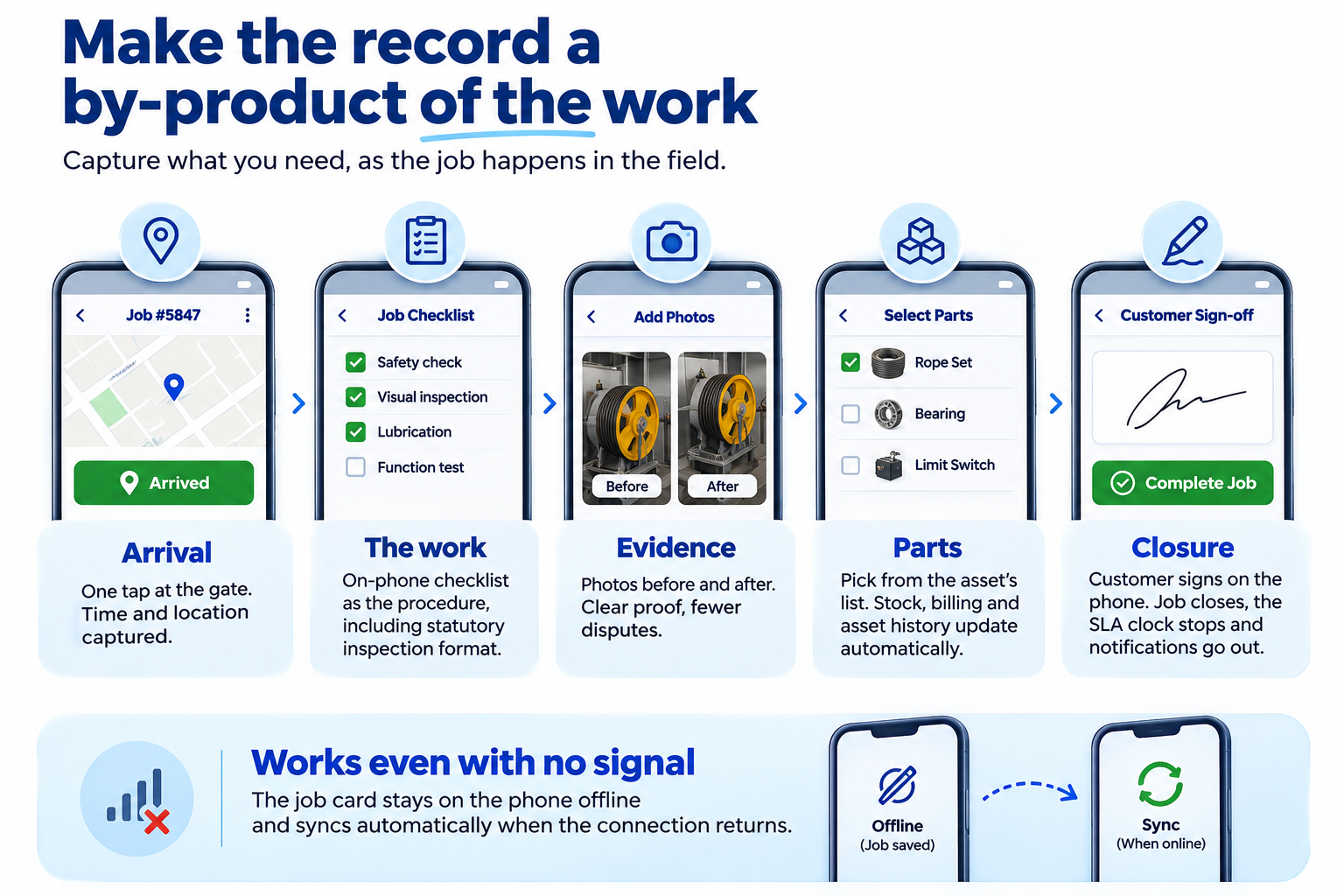
The fix is a design decision, not a training problem. Each thing the manager needs should fall out of something the technician would do anyway.
Arrival. One tap on the job when they reach the gate. That tap carries the time and the location, which is the whole of the response-time record. Nobody types a time.
The work. The checklist on the phone is the procedure, not a report about the procedure. Tick the step as you do it. For regulated work, such as a lift inspection, the checklist is the statutory form in the regulatory format, so completing the job and completing the paperwork are the same act.
Evidence. A photo of the component before and after replaces three sentences nobody wants to write. It also ends arguments later.
Parts. Pick from the list attached to the asset. Stock moves, billing updates, and the asset history grows, from one selection.
Closure. The customer signs on the phone. The job closes, the SLA clock stops, and the notification goes out. No separate sign-off sheet.
The part most systems get wrong is what happens when the signal drops. In plant rooms, basements and lift shafts there often is no connection. The app has to hold the job card offline and sync when the phone reconnects, or the technician goes back to paper and the whole design collapses. Our field service platform was built offline first because the elevator companies running it, including the ElevatorPlus deployment, work in exactly those places.
What the manager actually needs to see
Strip the dashboard back to what changes a decision, and it is shorter than most managers expect.
The last row is the one to notice. Overdue preventive maintenance is not something a technician should have to report. If the contract is in the system, the system knows which visits were due and which were confirmed, and it flags the gap before the period closes. We covered how multi-site teams track work in more detail, including what head office sees while the job is still open.
What to check in your own field app this week
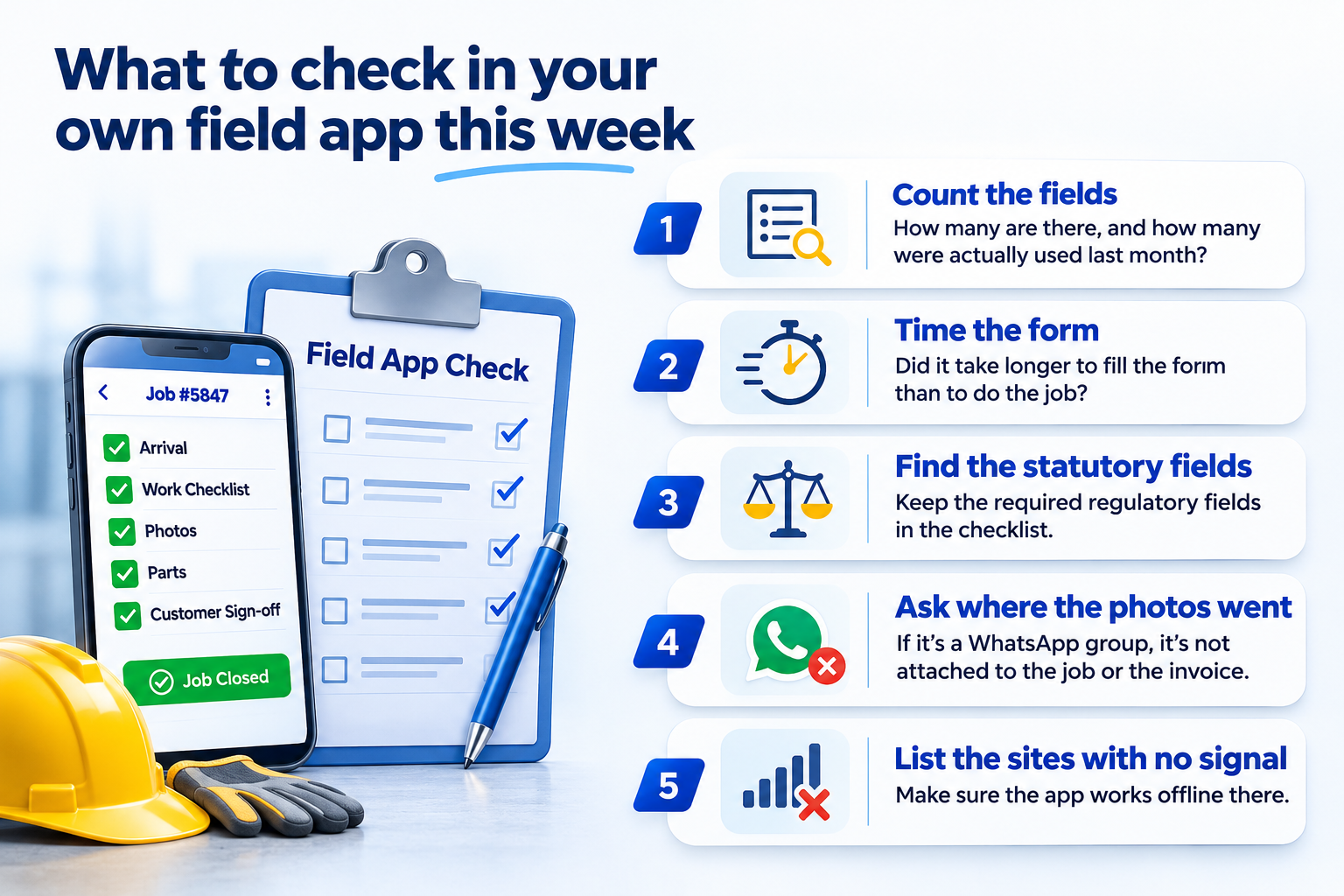
Before changing software, measure the form you already have. This takes one technician and one afternoon.
- Count the fields on the current job form. Then count how many of them anyone at head office has looked at in the last month. The difference is the form's dead weight.
- Time the form. Ask one technician to complete it honestly for one real job, and note when the job itself ended and when the form was finished. If the form outlasts the job, you have found the reason the 6 PM retype exists.
- Find the statutory fields. For lift and escalator maintenance in Maharashtra, Section 17(1) of the Maharashtra Lifts, Escalators and Moving Walks Act, 2017 requires every lift, escalator or moving walk to be inspected periodically at least once in a year, and the inspection has a format. Those fields are not dead weight, they are the record the regulator will ask for, and they belong inside the checklist rather than on a separate sheet.
- Ask where the photos went. If the answer is a WhatsApp group, the evidence exists but it is not attached to the job, which means it is not attached to the invoice either.
- List the sites with no signal. If the app cannot work there, nothing else on this list matters.
Common mistakes when cutting the form down
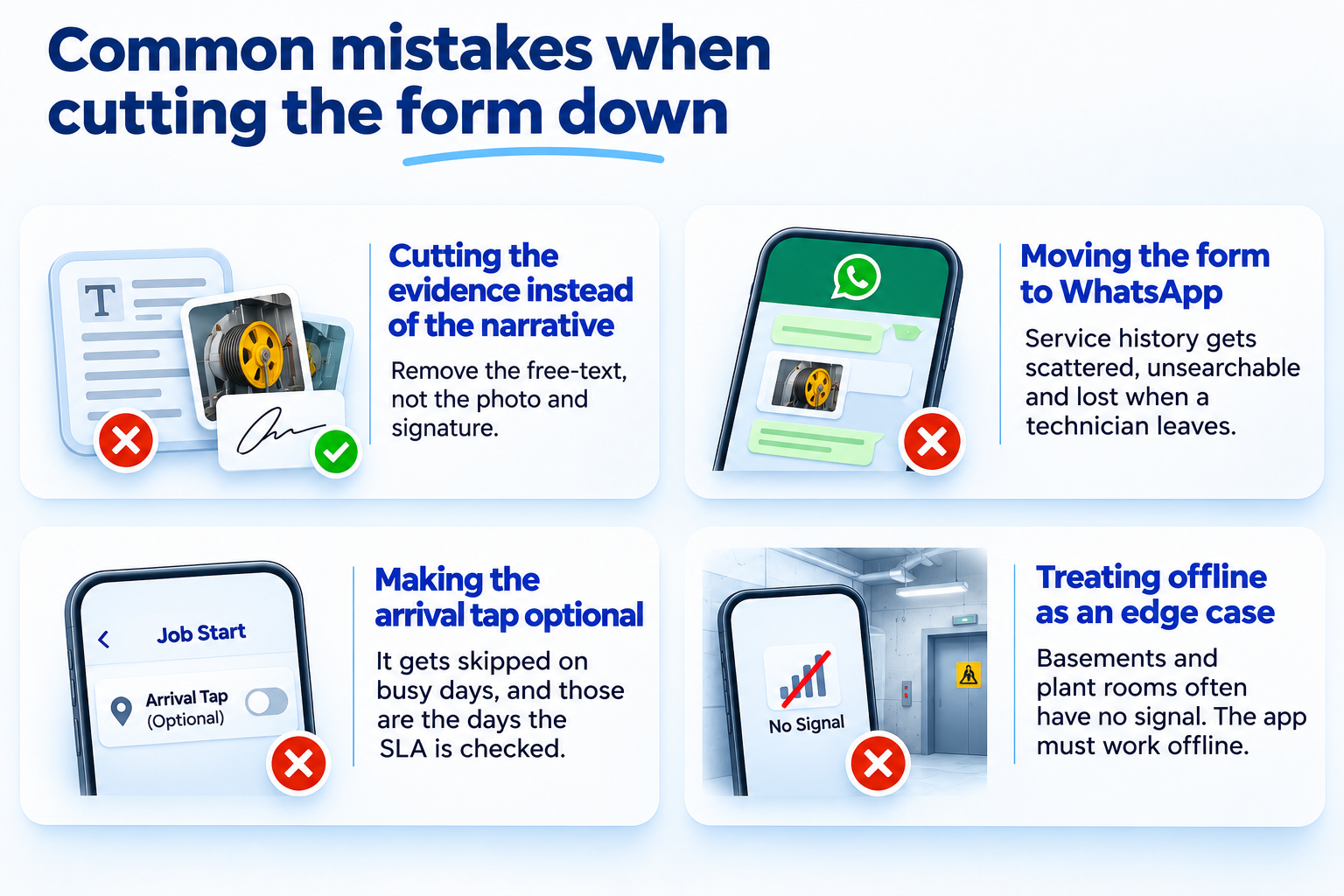
Shortening a form is easy to get wrong. The failure pattern is usually one of these four.
Cutting the evidence instead of the narrative. The free-text box is what should go. The photo and the signature are what settle disputes, and they cost the technician seconds, not minutes.
Moving the form to WhatsApp. It feels lighter because everyone already has it. Six months later the operation's entire service history is scattered across group chats on personal phones, unsearchable and gone when a technician leaves.
Making the arrival tap optional. Optional means skipped on busy days, and busy days are exactly the ones the SLA report will be asked about.
Treating offline as an edge case. In plant rooms and basements it is the normal case. If the app was tested only in the office, the first week in the field will send everyone back to paper.
What this looks like in month three
Three months after the form becomes a by-product of the job, a manager should be able to observe the following without running a report. Job cards close on the phone on the day of the visit, including at the sites that have no signal. Photos sit on the job, not in a chat. The monthly SLA report is produced from arrival taps and closure signatures, and when a customer disputes a response time the answer is a timestamp, not a recollection. Preventive visits that were missed are flagged by the system before the period closes, because the contract schedule generated them. And the 6 PM retype has stopped, which the technicians will tell you about before the dashboard does.
If budget is the obstacle, the context is that software spending in India is projected by Gartner to grow 17.6 percent in 2026. The money is being spent somewhere. The question for a field operation is whether it goes to the technician's phone first.
What not to track
It is worth saying what a good system leaves out, because the temptation to add it is strong.
Continuous GPS polling every minute. It drains the phone, it tells the technician they are not trusted, and it produces a map nobody studies. Location at arrival and at closure answers the real question, which is whether the job happened where and when it should have.
Free-text narrative on every job. Ask for it only when something went wrong. A dropdown of exception reasons covers the rest.
Anything the manager will not read. Every field added to the form is a few seconds taken from every job, every day, for every technician. Multiply it out before adding it.
If you are evaluating software, the test is simple and we wrote it up as what the demo has to show: put the phone in flight mode, open a job, do the work, reconnect, and see whether the record arrived intact.
Accucia's view
Field data quality is decided on the technician's phone, not in the reporting module. If the record is a by-product of the job, it is accurate; if it is a form after the job, it is a memory test. Design for the first, and the dashboard takes care of itself.
Read the edition: The Enterprise AI Edge, Ed.20, When the form is longer than the job.
If your technicians are still retyping the day at 6 PM, the free AI Readiness Assessment shows where the job data lives today and what one change would fix first.
FAQ
How do you track field technicians without long forms?
Make each record a by-product of the work. One tap confirms arrival with time and location, the on-phone checklist is the procedure itself, photos replace written descriptions, parts are picked from the asset's list, and the customer signature closes the job. The technician never stops working to produce data, so the data is accurate.
Should field technician tracking include continuous GPS?
Usually not. Location at arrival and at job closure answers whether the job happened where and when it should have. Polling location every minute drains the battery, signals distrust, and produces a map that nobody reviews. Track the job, not the person.
What happens when the technician has no signal?
A well-built field app holds the job card offline, including the checklist, photos, parts and signature, and syncs when the phone reconnects. Without this, technicians in plant rooms and basements go back to paper and the system only receives what is retyped later.
What is the minimum data a field technician should record per job?
Arrival (one tap, which carries time and location), the procedure checklist completed in sequence, at least one photo where the work is visible, the parts used picked from the asset's list, and the customer's signature to close. For regulated equipment the statutory inspection fields sit inside the checklist. Everything else is optional and should be asked for only by exception.
How does a manager know which preventive visits are overdue?
The system should know without anyone reporting it. When the service contract and its maintenance schedule live in the software, the visits are generated automatically, the technician confirms each one from the field, and any visit not confirmed before the period closes is flagged.
Simplify Field Forms. Improve Accuracy. Book a Free Assessment Today!